- Move closer to your TV and pair it again.
- Use the Google TV app on as your Android TV remote.
Basic Fixes
- Restart your Android TV : A simple restart can sometimes help fix such issues.
- Replace the Android TV remote batteries : Your Android TV remote might need replacing.
Fix 1: Check if the IR Emitter Is Working Under a Camera
If your Android TV has a traditional IR remote, there is a quick way to check if the IR emitter on your remote is working. You will need your smartphone to perform this step.
Step 1: Open the camera app on your smartphone. Point the camera at the IR transmitte r on the remote. It is generally located on the top portion of the remote.
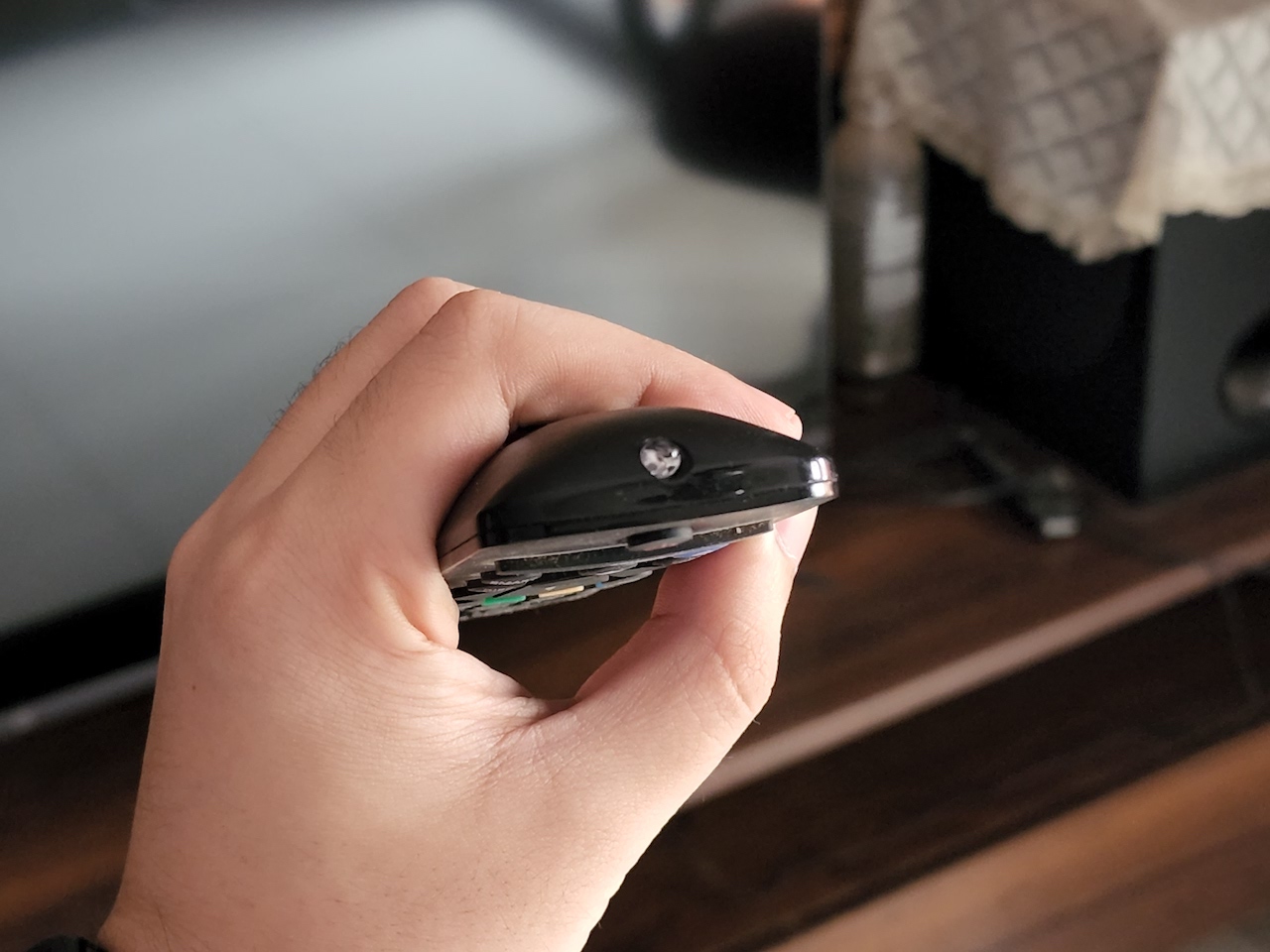
Step 2: Press any button on the remote, and you should see a light blink in your smartphone’s camera viewfinder.
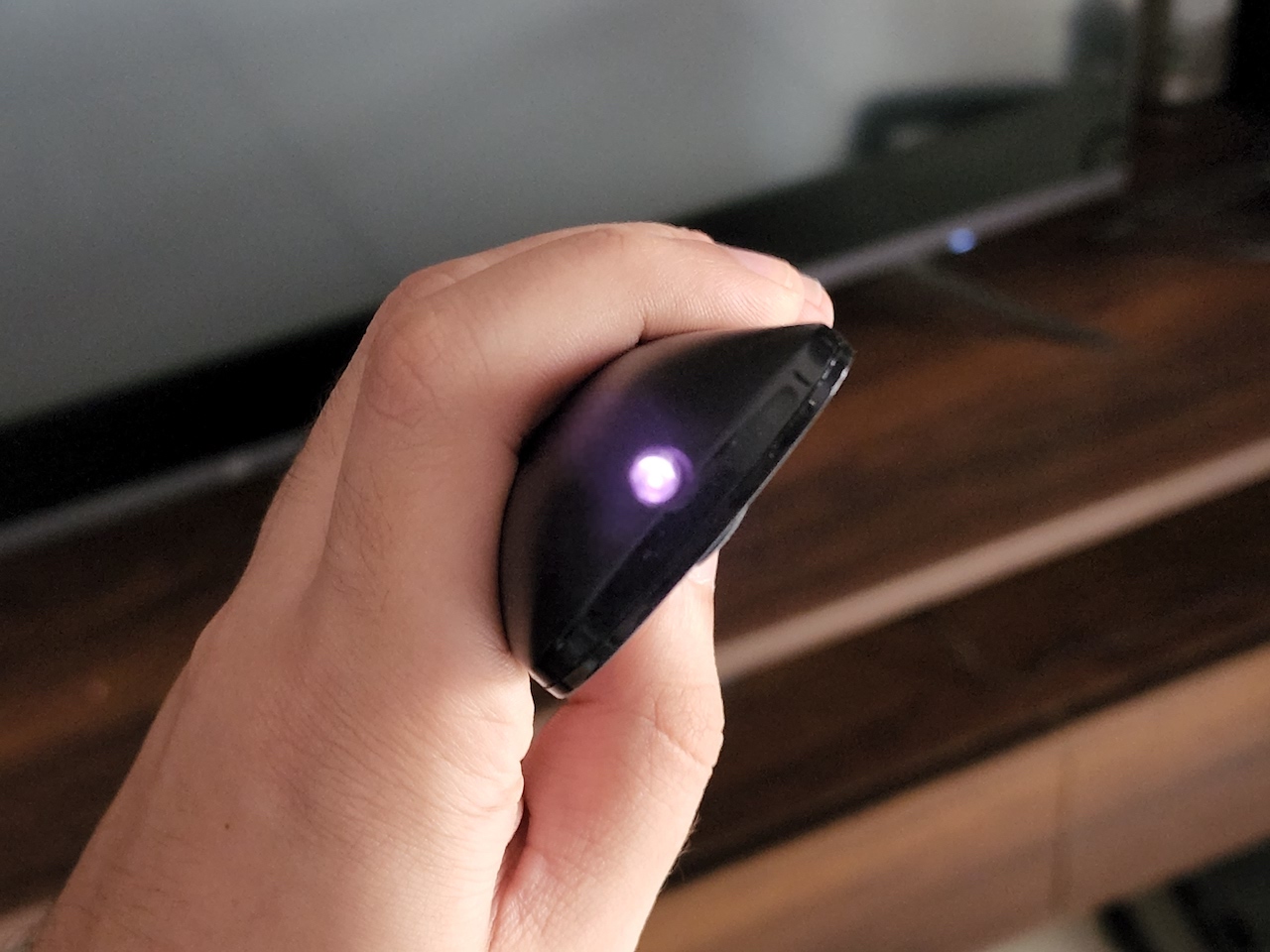
If you see a light blink, the remote works fine, and the issue might be with something else. If you do not see the LED blinking, it might indicate a problem with the hardware on your remote.
Fix 2: Use Mouse or Any Other Input Device to Re-Pair the Remote
Once you’ve connected the mouse, pair your remote again with the TV via the settings menu.
Step 1: Connect a mouse or keyboard to your Android TV using one of the USB ports.
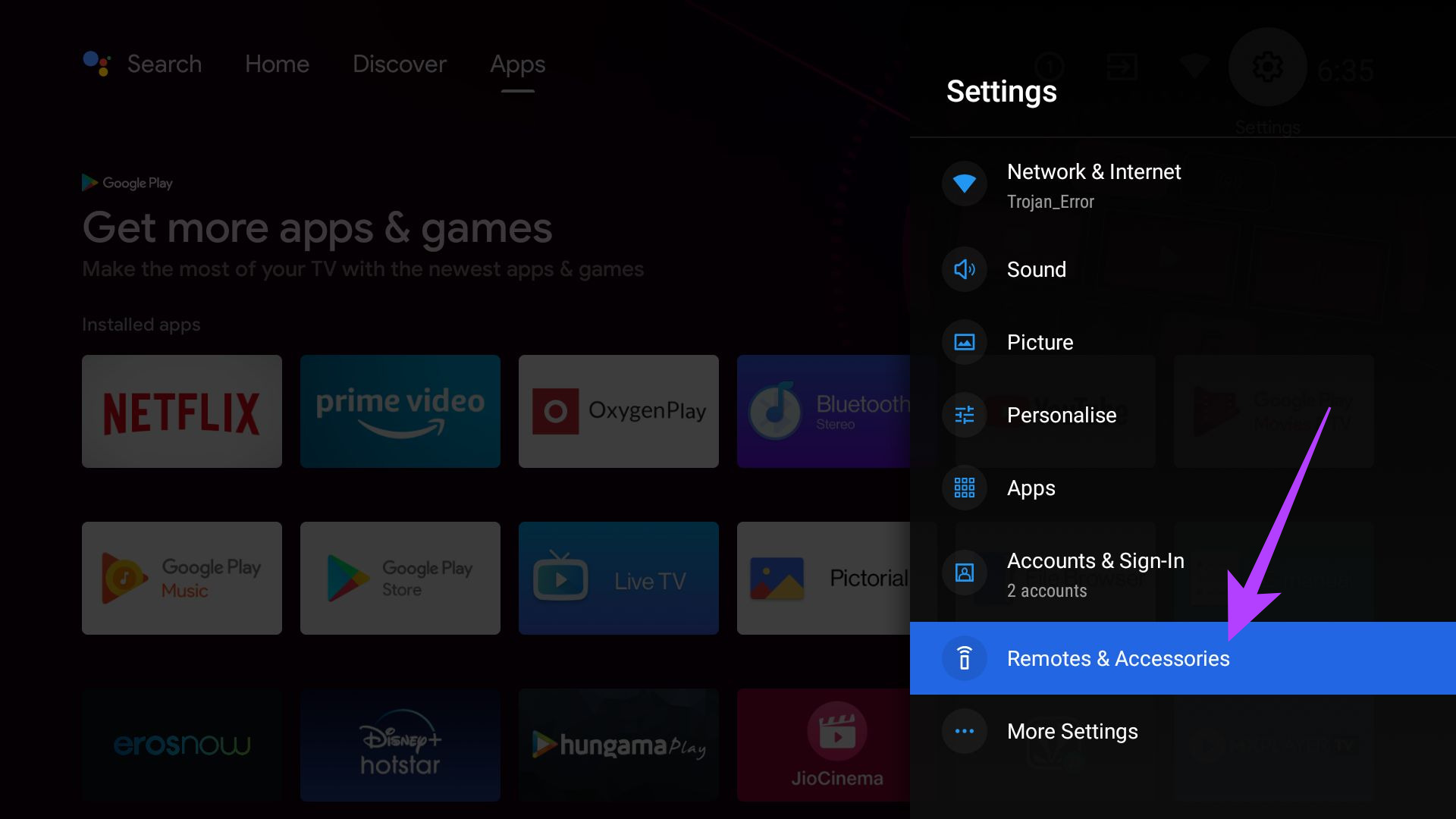
Step 2: Click on the Settings icon at the top-right corner > select Remotes & Accessories .
Step 3: Click on Remote Control > select Add remote control .
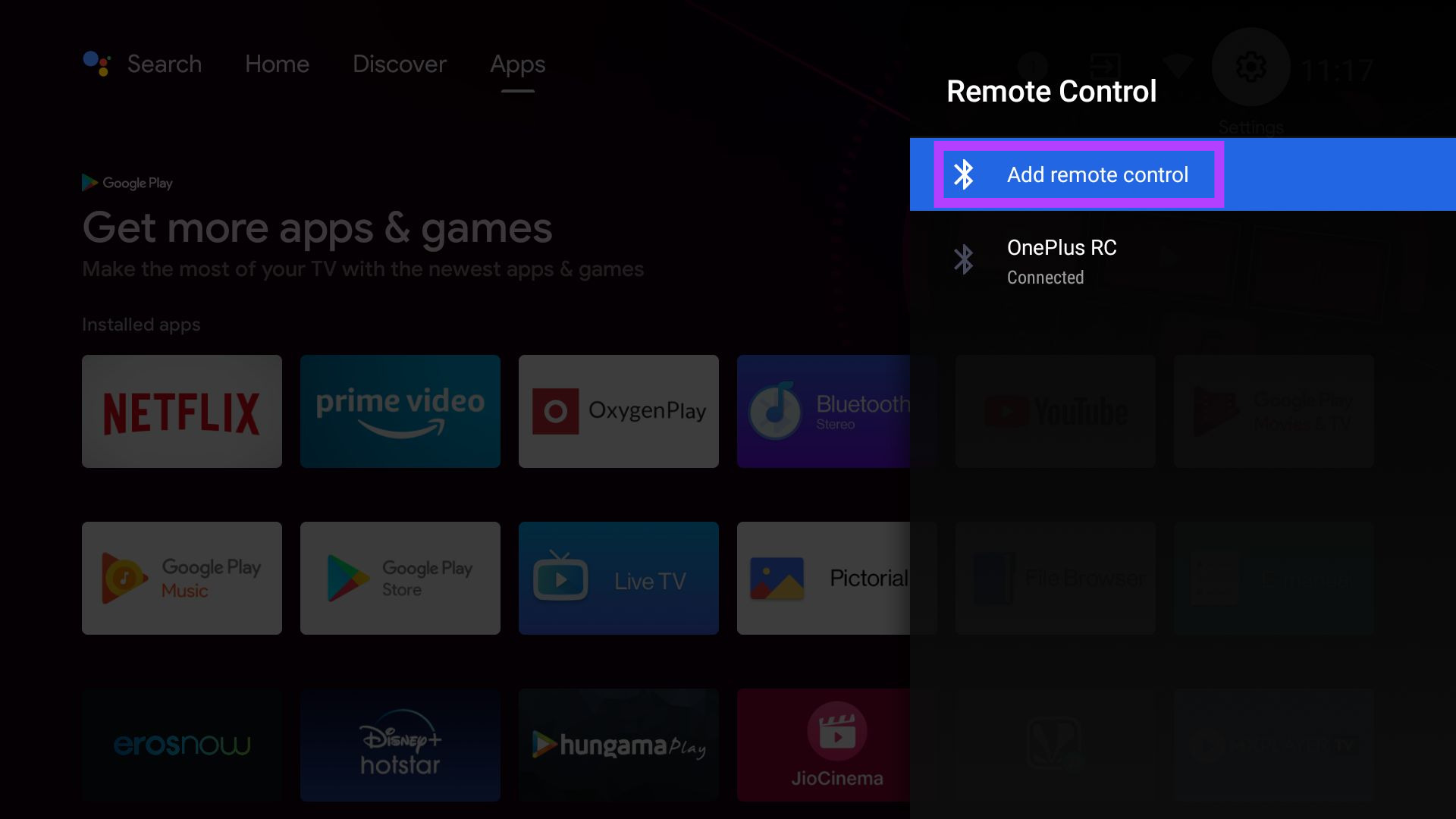
Now, follow the steps on the screen to pair your remote with the TV again.
Fix 3: Use the Google TV App as a Remote
If all fails, your last resort is to use the Google TV app as a remote for your TV. You can also download the app for your iPhone .
Step 1: Open the Google TV app on your smartphone and select the TV remote option at the bottom right corner.
Step 2: When prompted, tap on Allow to grant permission to the app.
Step 3: Select the Android TV you want to control. A code will now be displayed on your TV screen. Enter it on the phone and tap on Pair .
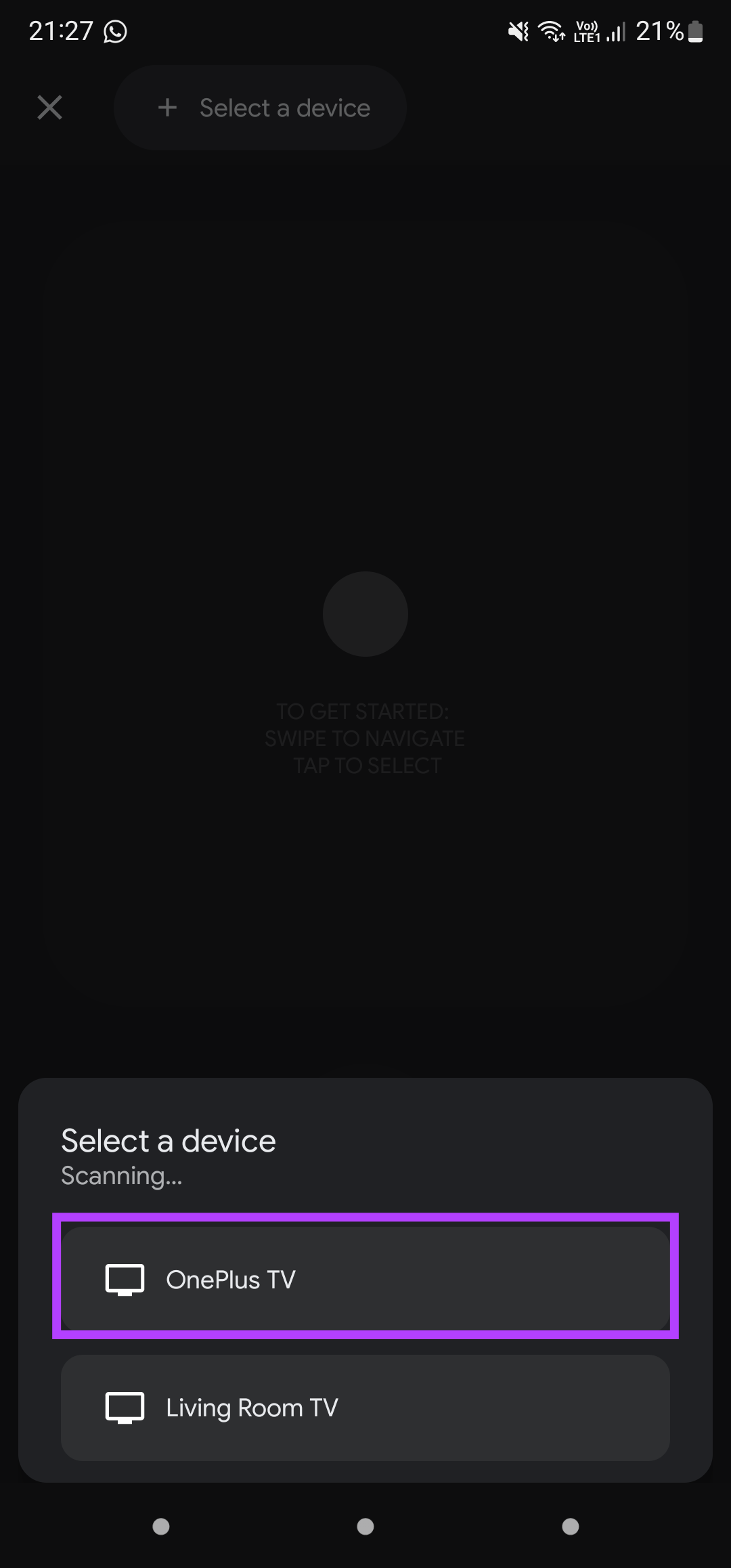
Your smartphone will pair with your TV, and you can now use your phone as a remote with the Android TV.
You can also refer to our posts if your Chromecast (Google TV) Remote is not working or your Samsung TV remote is not working .
