- A message marked as Forwarded many times can be sent to only one person at a time.
- You can add up to 256 contacts to a WhatsApp broadcast list.
- WhatsApp group and community is the best way to send out messages.
Method 1: Forward a Message on WhatsApp
Step 1: Open a conversation on WhatsApp. Long-press a message and tap on the Forward icon.
Step 2: Select the contacts or groups you want to send the message to > click on the arrow button to send your WhatsApp message to up to five contacts.

You can’t forward a message to more than five contacts to prevent FUD (Fear, Uncertainty, and Doubt) on the platform. You must forward the same again. After you forward the same message multiple times, WhatsApp labels it as ‘Forwarded many times’ above it.
Method 2: Create a Community on WhatsApp
Step 1: Open WhatsApp on your phone. Move to the Communities tab . On Android, you can find it at the top left corner, and iPhone users can access it at the bottom.

Step 2: Select an announcement channel and send a message.
Method 3: Create a Broadcast List on WhatsApp
Some people find WhatsApp communities confusing. Besides, you need admin rights to add groups to them. If you want to share WhatsApp messages with multiple contacts, create a broadcast list.
Note: You can add up to 256 contacts to a WhatsApp broadcast list.
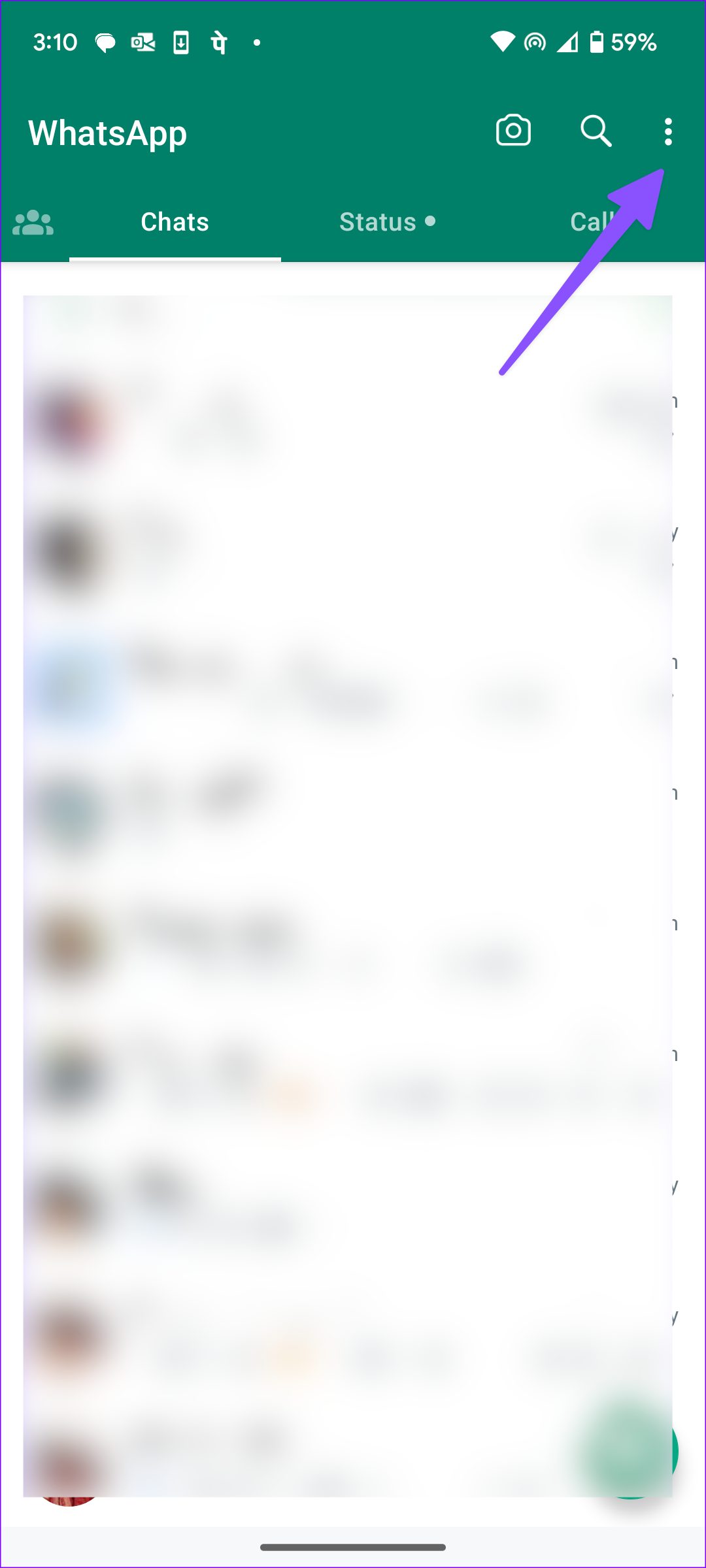
Step 1: Open WhatsApp on your phone. Tap the three vertical dots menu at the top-right corner and select New broadcast .
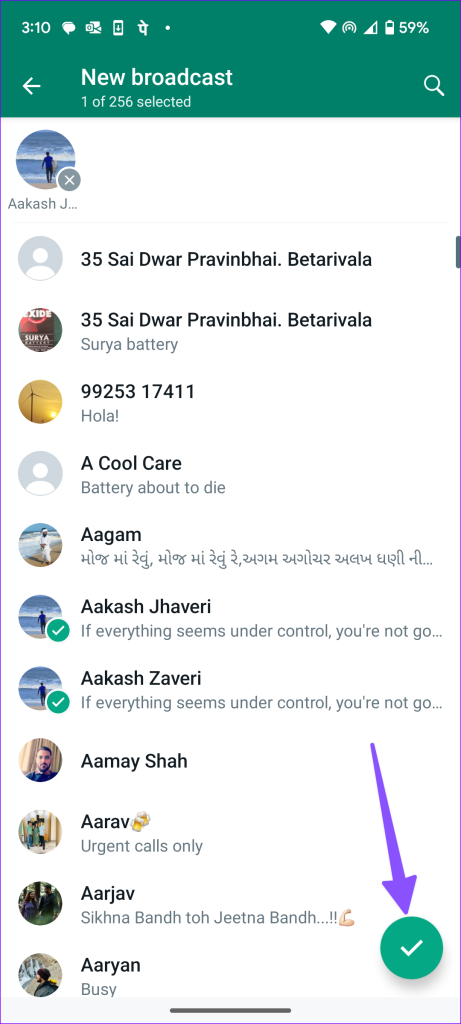
Step 2: Select up to 256 contacts and press the checkmark at the bottom. WhatsApp will create a broadcast list to send messages.
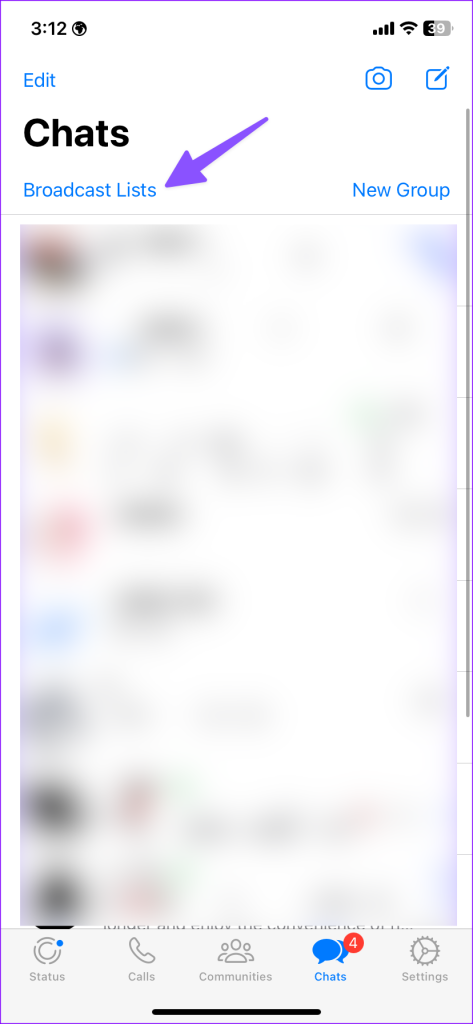
iPhone users can tap Broadcast Lists at the top and select New List to create such lists.
Method 4: Make a Group on WhatsApp
WhatsApp groups are a known method for sending messages to multiple contacts. You can create a group with up to 2048 participants on WhatsApp.
Step 1: Launch WhatsApp and tap the three-dot menu at the top-right corner. Select New group .

Step 2: Select participants and continue. Then, enter the group name, check participants, and press the checkmark.

iPhone users can create a new WhatsApp group from the compose menu at the top. Then, you and the approved admins can send messages to the group.

Step 3: Lastly, open the group, tap on the text box, and type. Once ready, send the message. It will ensure everyone can access the message.
