- You can use the capture button to grab a frame while playing a video – provided your device supports the feature.
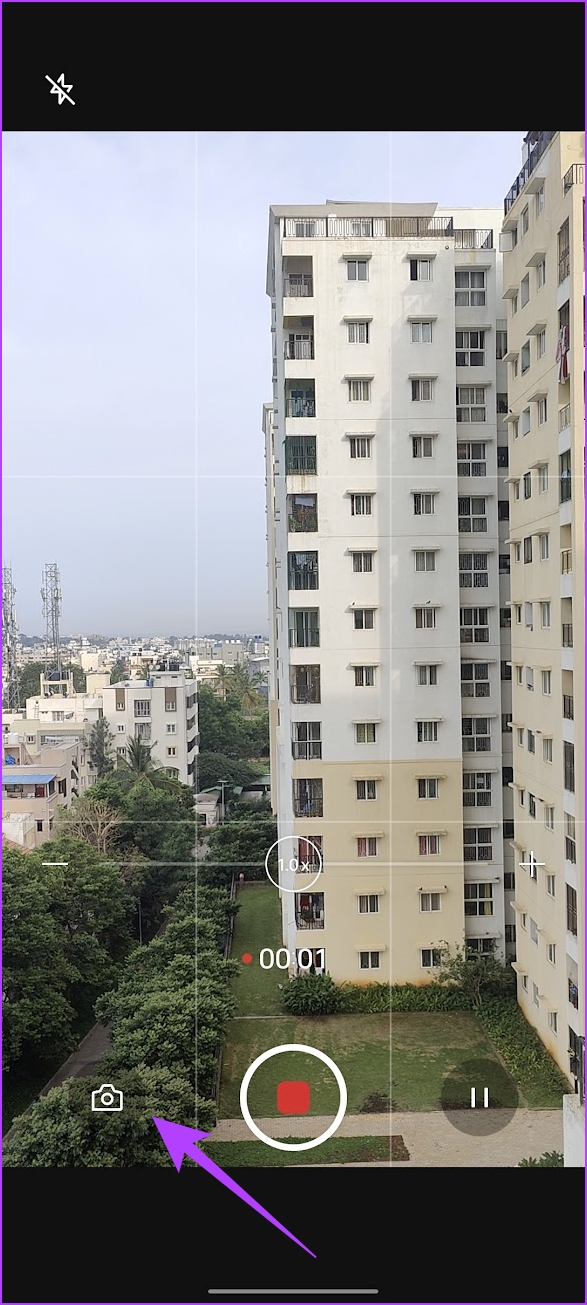
- While recording the video, use the image capture button to take still images.
- You can also use a third-party app like Video to Photo Frame Grabber to take still images from videos.
Method 1: Use the Gallery App
Some Android devices have an inbuilt feature to extract still images from video. Look at how it is on our OnePlus device. All you need to do is tap on the capture icon while playing the video. The captured image is then stored in your gallery without reduction in quality.

Method 2: Take a Picture While Recording a Video
Moreover, you can also extract still images while shooting a video on your Android device by hitting the capture image button. The quality will also not be reduced with this method.
Method 3: Use Third-Party App
Video to Photo Frame Grabber is a simple app that lets you capture multiple frames from a single video.
- Choose the video from your collection and tap on the Camera icon at the bottom-left corner.
- Additionally, you can select the area of the capture and zoom in on a particular subject.
- Furthermore, you can tweak the image settings, such as the resulting file format, image quality, and image size.

