- If you opened a link on Instagram but closed it by mistake, you can access it via the stored link history.
- This is useful if you clicked on an ad or a link inside a Story earlier and wish to revisit it.
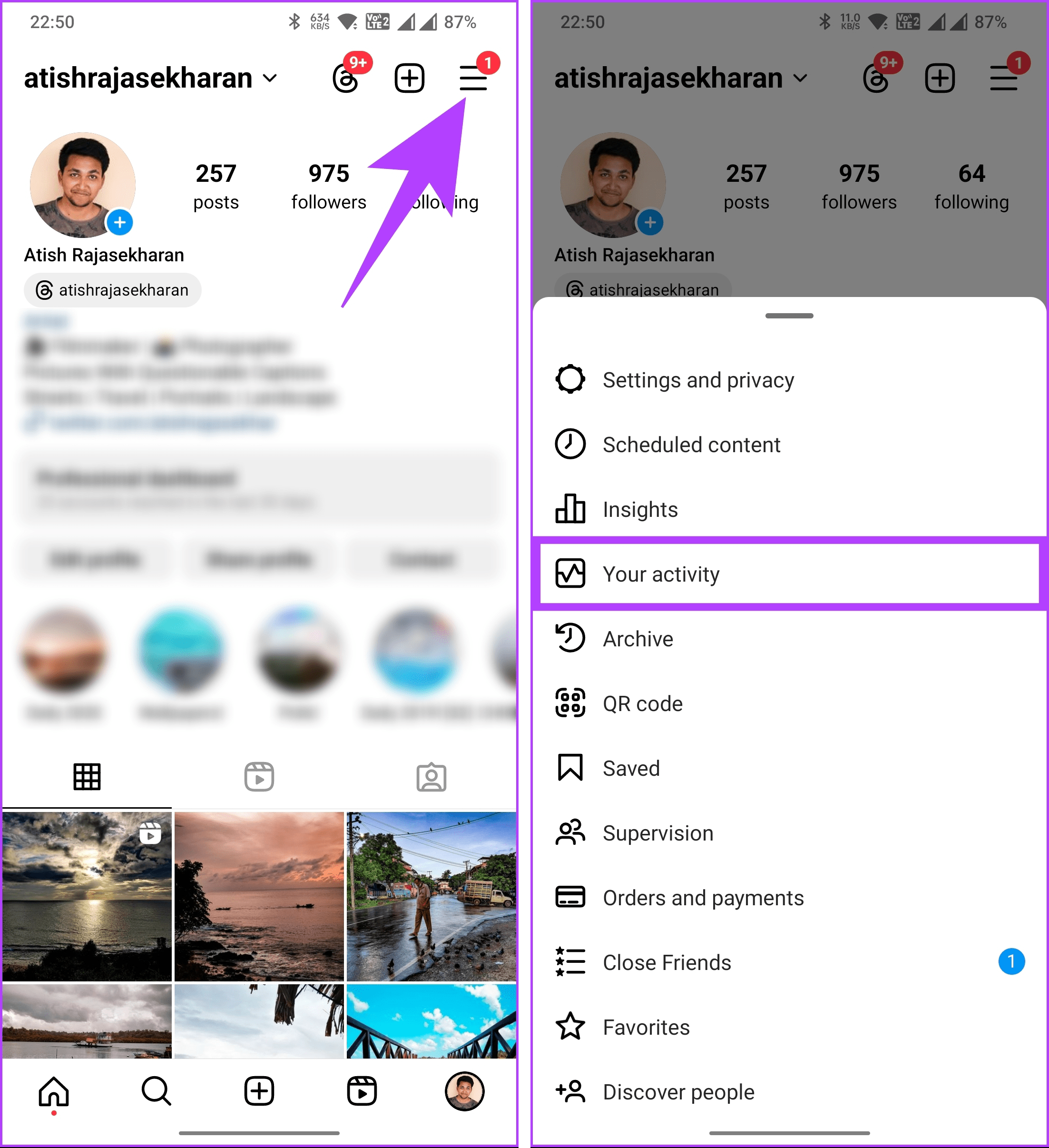
- You can access your visited links by going to Profile > Hamburger menu > Your activity > Link history.
Steps to View Recently Opened Links on Instagram
Step 1: Launch the Instagram app. Visit your profile by tapping on your profile picture at the bottom-right corner.
Step 2 : Now, tap on the three horizontal lines icon at the top-right corner. Select Your activity .
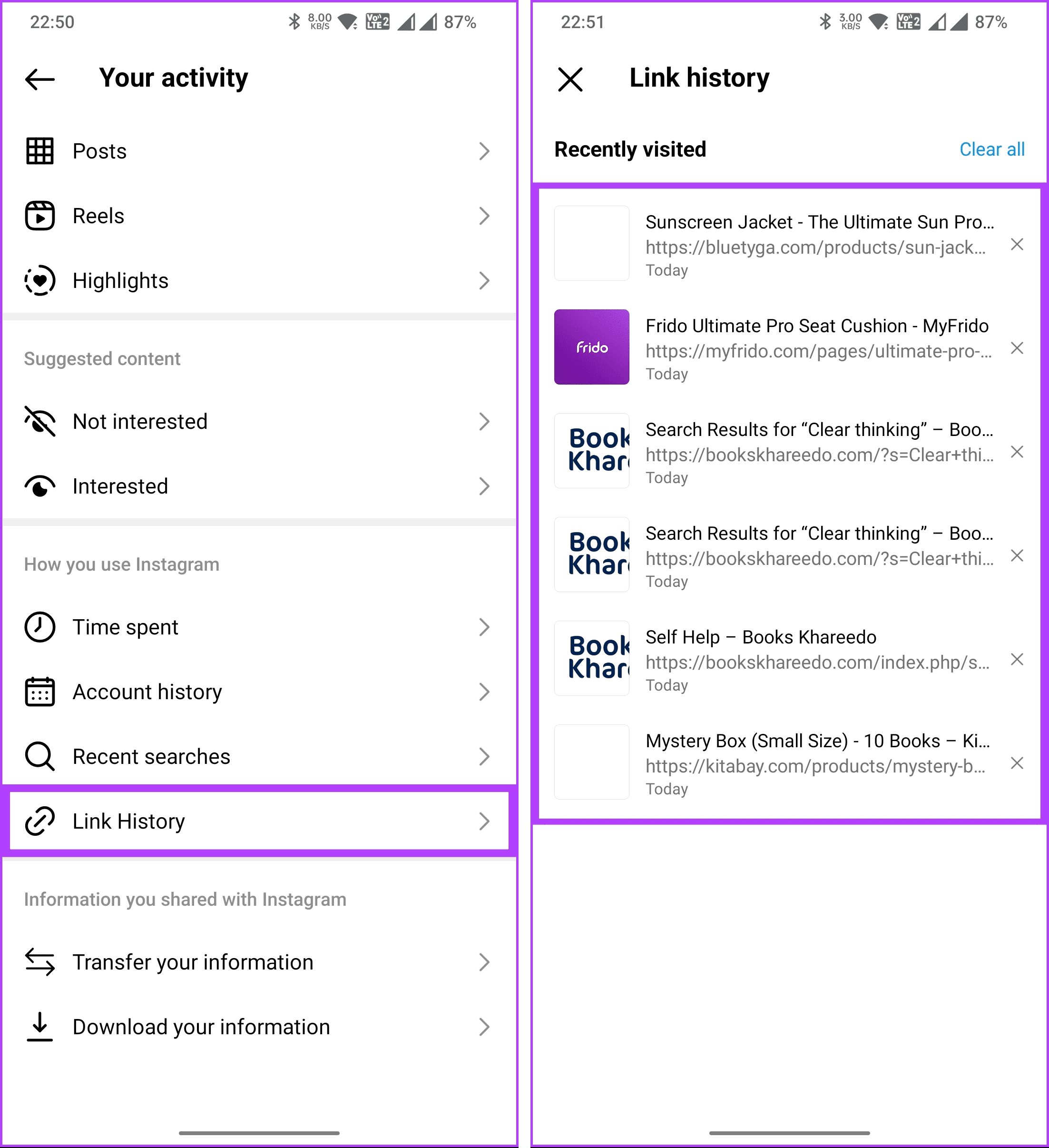
Step 3 : Scroll down and tap on Link History . On the next screen, you will see all the links you have clicked and opened on Instagram.
How to Clear Recently Clicked Links on Instagram
Visit the Instagram Link History section using the steps above on your phone.
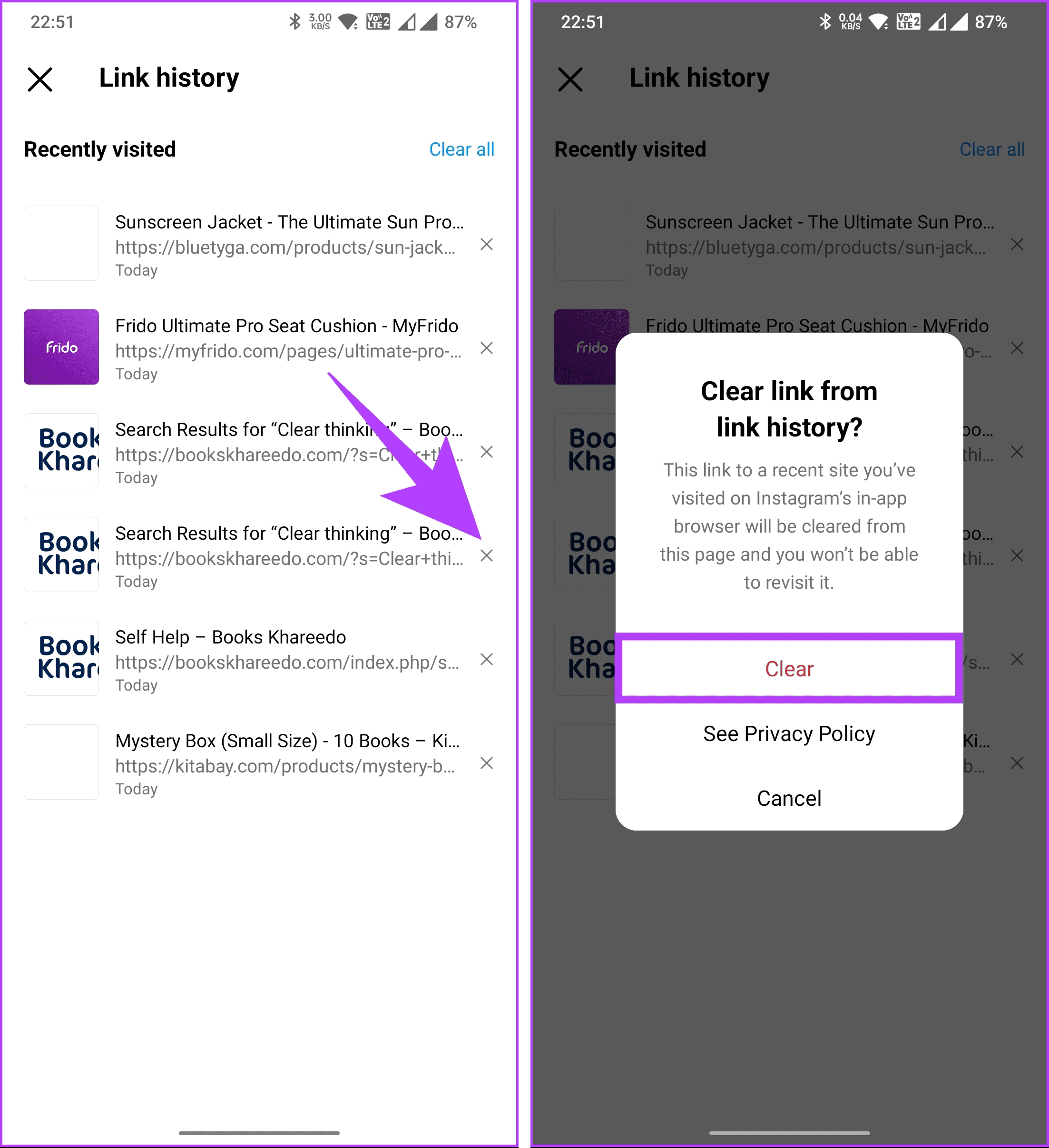
Step 1 : Scroll through the links you want to remove and tap on the crossmark ( x ) next to them. In the pop-up, select Clear .
This was for individual websites. What if you want to clear all the links you have visited in the past 30 days?
Step 2 : Tap on the Clear all option at the top-right corner. And, like removing a single link, select Clear in the pop-up.
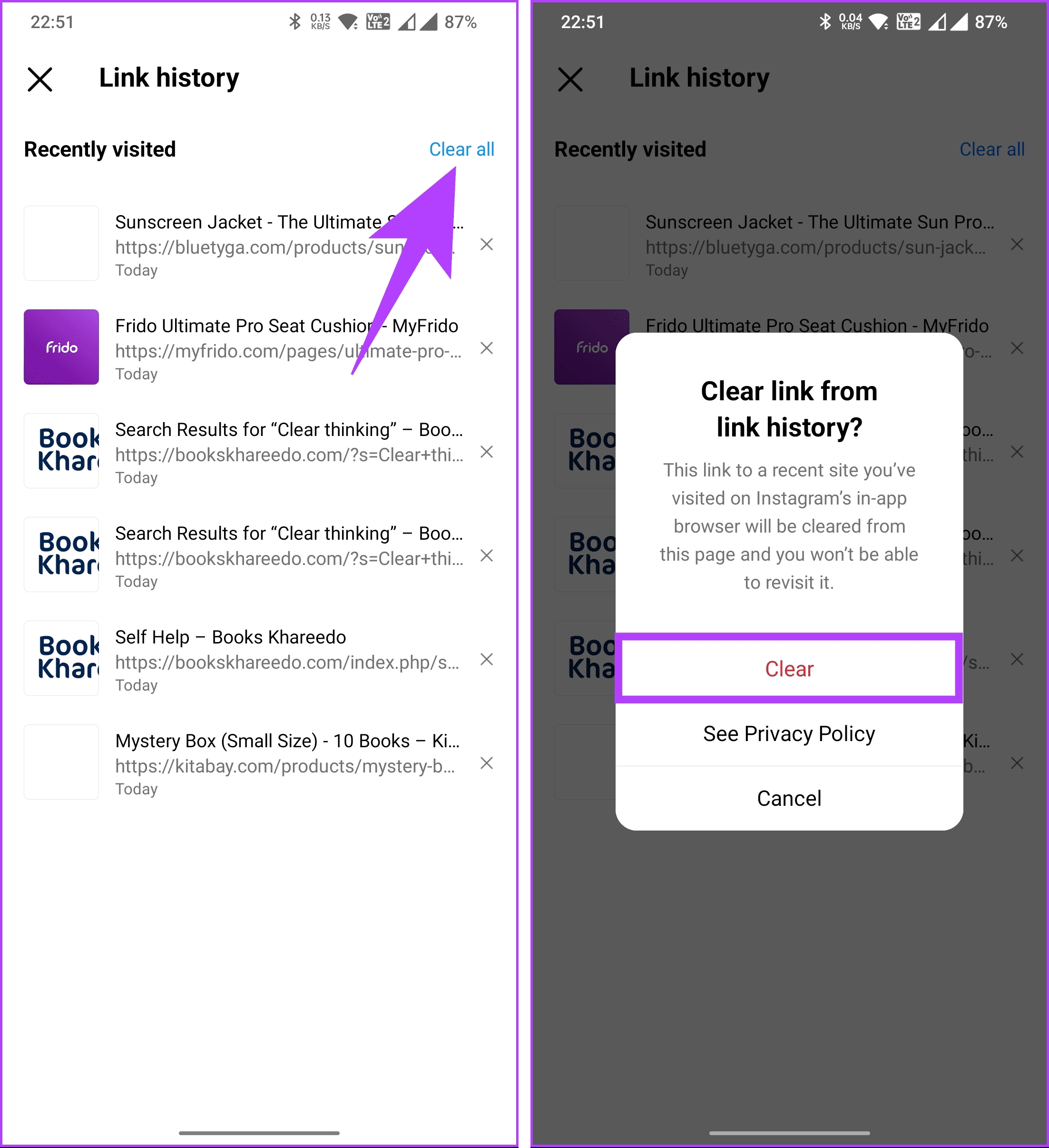
There you have it. You have successfully cleared all recently clicked links on Instagram. Additionally, you can go one step further and turn off the link history feature once and for all.
Unfortunately, no. There’s no search function within the Links tab. You have to scroll through the list manually.
While you can’t completely opt out of all advertising on Instagram, you can manage ad preferences and adjust the information used for personalized ads in the app settings.
