- Tap on the share/three-dots icon to save a post or a comment on Reddit.
- On the mobile app, tap on your profile picture, and go to Saved to see all the saved posts and comments.
- On the web app, click on your username, go to Profile, and select Saved to view all saved posts and comments.
On iOS and Android
Step 1: Tap on the Share button below the post you want to save. To save a comment, tap on the three-dots icon.
Step 2: Now, tap on the Save option.

Save Reddit Posts on the Web App
Open Reddit on your web browser, sign into your account, and click on the Save button below the post you want to save. On a comment, click on the three dots icon and select Save .
This will bookmark the post and will be stored in the Saved section.

In this section, we’ll show you how to find all the posts that you saved from your Reddit feed. Let’s begin with the step-by-step instructions for the mobile app followed by the web browser.
On iPhone and Android App
Step 1: Open the Reddit app and tap on the profile picture icon in the top right.
Step 2: Select Saved .

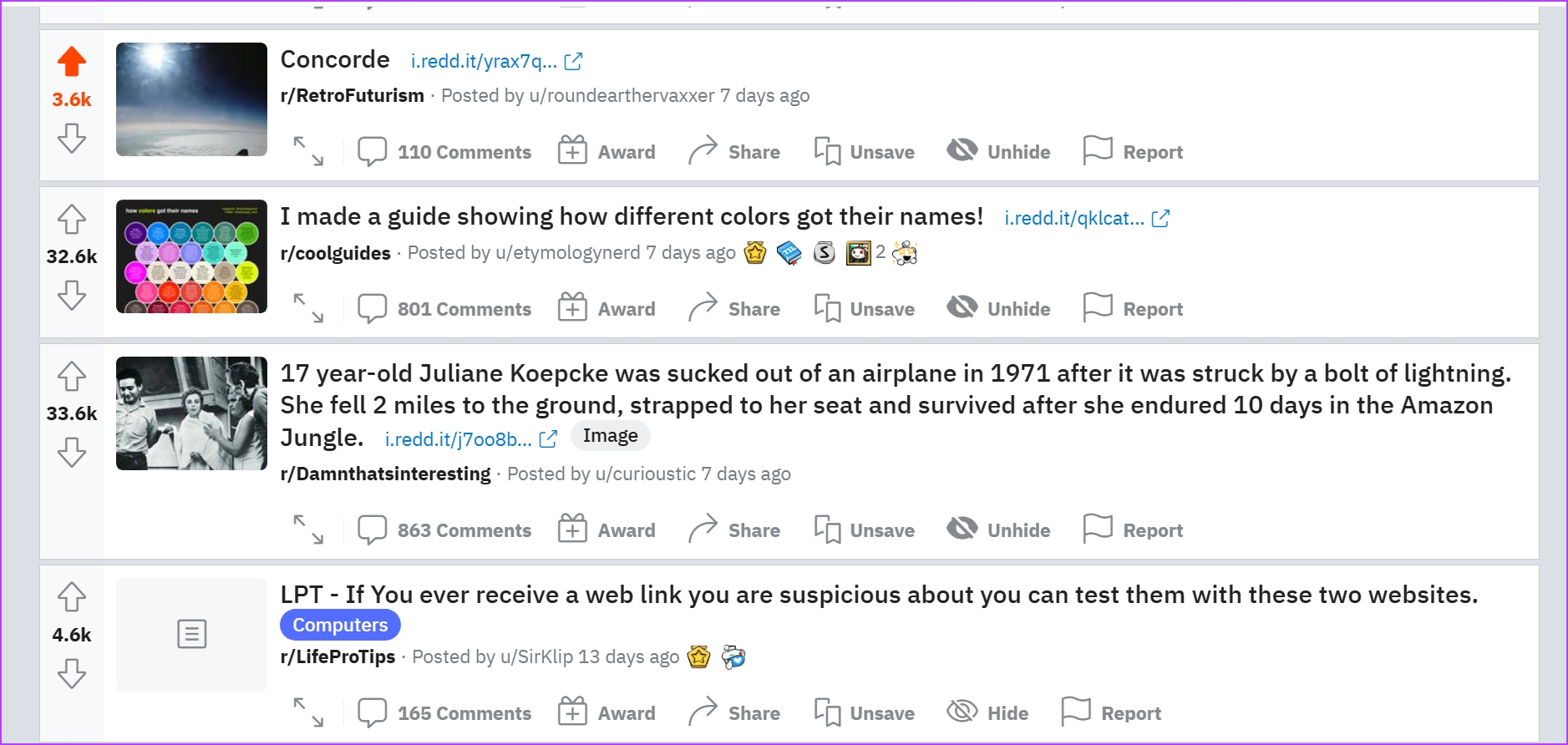
If you want to remove a post from the saved section, all you need to do is to tap on the Share button and select Unsave .

On the Web App
Step 1: Open the Reddit website and sign in to your account.
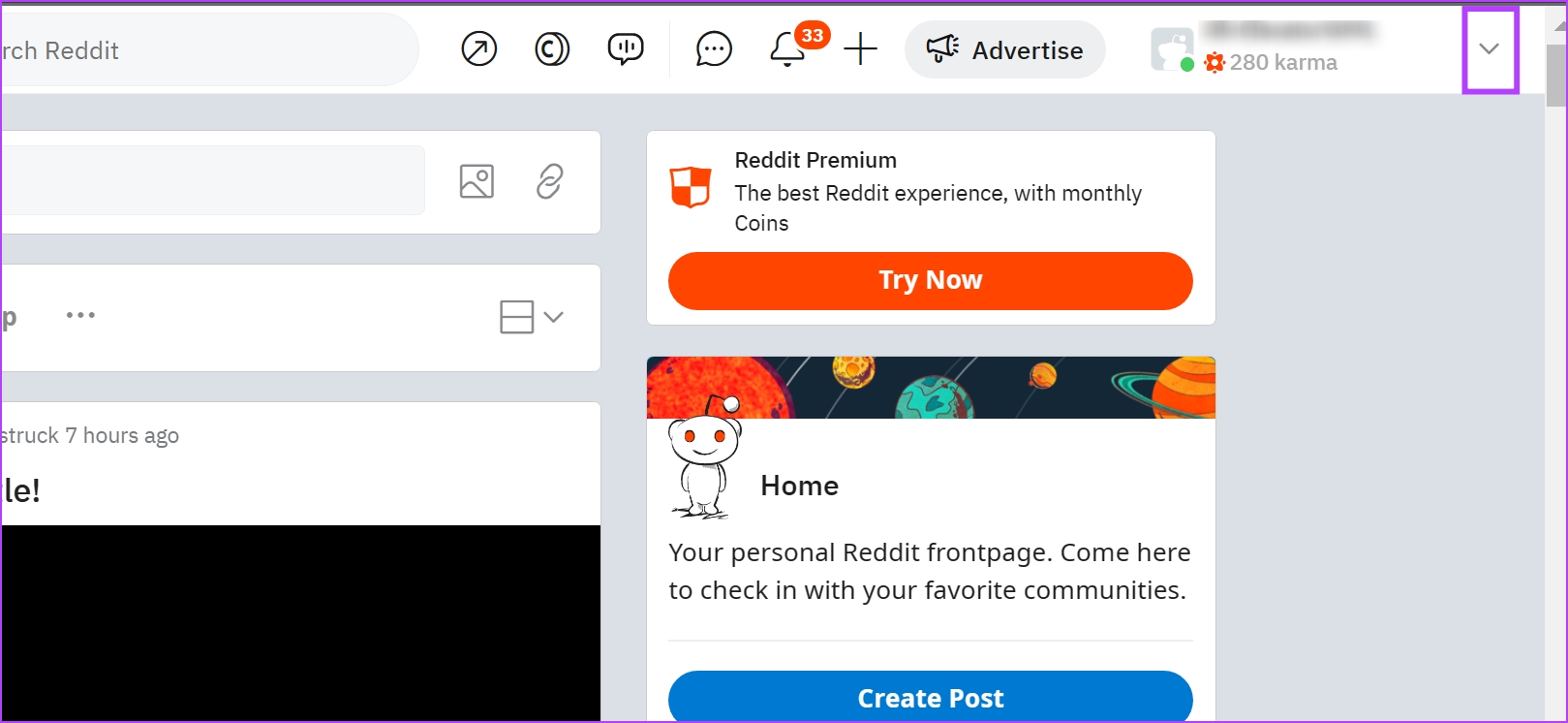
Step 2: Now, click on the drop-down menu button at the top right corner.
Step 3: Select Profile .
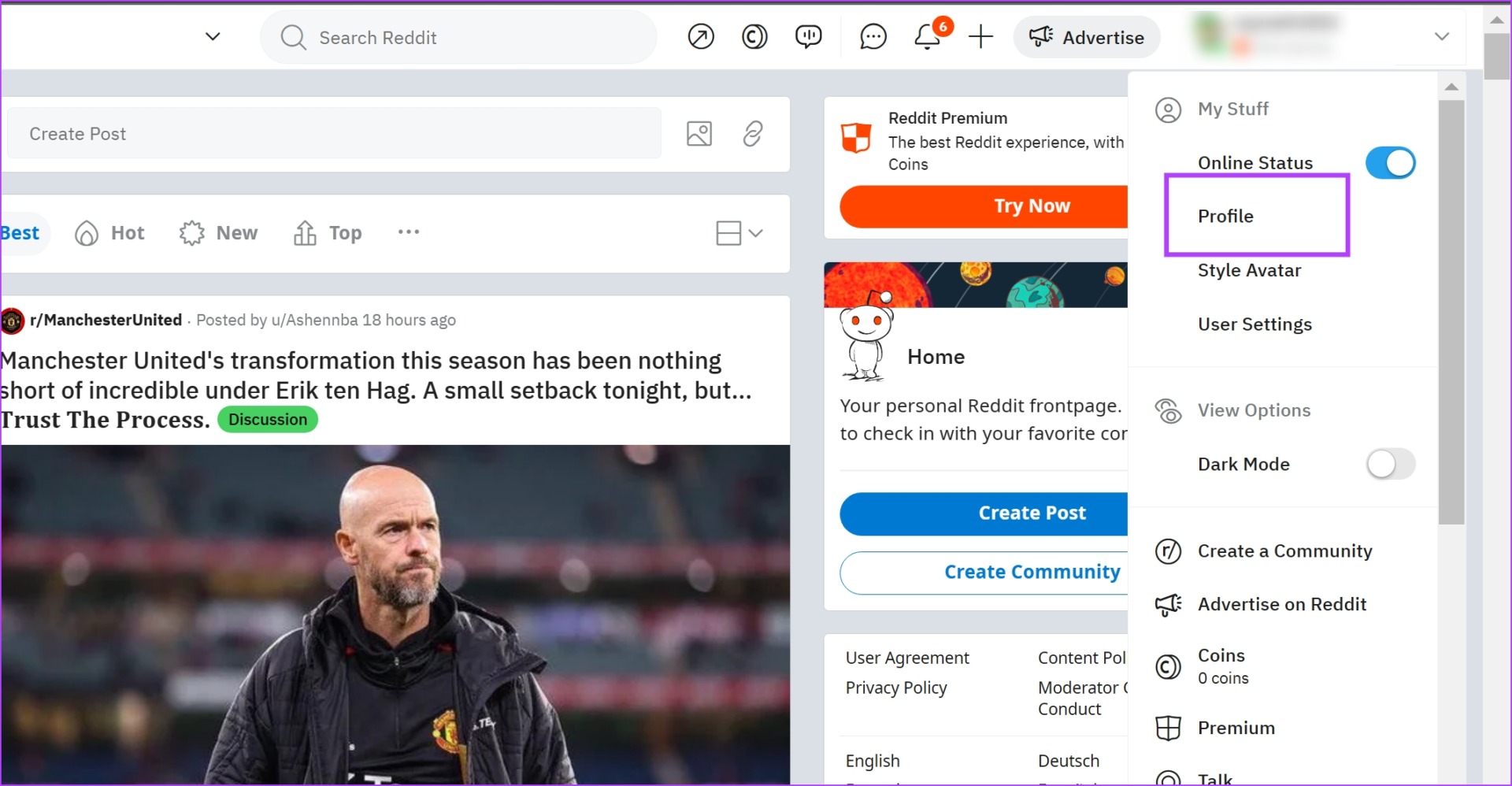
Step 4: Click on Saved from the set of options in the Ribbon.

If you want to remove a post/comment from the saved section, click on the Unsave button below the post title.