- Notion offers a broader range of third-party integrations, AI-powered tools, and advanced content block options.
- Microsoft Loop integrates well with Teams and OneNote and is a better option for seamless integration within the Microsoft ecosystem.
- Notion offers a more extensive free tier with limited guest access and page history.
Microsoft Loop vs. Notion: Key Differences
| Feature | Notion | Microsoft Loop |
|---|---|---|
| Cross-Platform Availability | Web, Windows, Mac, iOS, Android | Web, Windows, Mac, iOS, Android |
| User Interface | Similar, block system, / command for elements | Similar, block system, / command for elements, feels more modern |
| Organization | Pages, subpages, favorites | Pages, subpages |
| Templates | Vast library, categorized, community-created | Limited collection, basic templates |
| Features | Extensive third-party integrations, AI features, advanced blocks | Limited third-party integrations, Loop components |
| Sharing & Collaboration | Real-time collaboration, shared workspace, publishing static web pages | Real-time collaboration, comments, emoji reactions, kudos |
Cross-Platform Availability
Cross-platform availability is a major factor for such software solutions. Notion and Microsoft Loop are available on iOS, Android, and the web. Notion also has native apps for Windows and Mac.
Microsoft Loop lets you install a web app on your Windows or Mac machine. It does the job, but they are nowhere near native desktop apps.
User Interface
Both Notion and Microsoft Loop have similar user interfaces. Both allow you to create a workspace, add pages, and integrate subpages for better organization.

Unlike other document editors, Notion and Microsoft Loop use the ‘/’ command to add headings, checklists, quotes, images, and more. It may require some learning curve for new users. Between the two, Microsoft Loop feels more modern than Notion. Both rely on a block system to create and manage content.

Organization
Notion and Microsoft Loop organize your pages and subpages using the same method. However, Notion lets you mark your preferred pages as favorites for quick access.
Templates
Templates play a major role in software solutions like Notion and Microsoft Loop. Although they come with a template gallery to get started, Notion easily edges out Microsoft Loop here.
Notion has a vast library of templates to get started. Whether you want to manage your projects, create a travel itinerary, track habits, create a marketing plan, or create a database of clients and potential customers, Notion has a template for every use case.
Notion also has divided all templates into relevant categories and offers thousands of templates created by community members.

While Microsoft Loop has improved the templates section with new additions, the overall collection still feels slim compared to Notion. It covers the basics with templates like Project Brief, Issue Tracker, and Project planning.

Features
Notion shines with integration with third-party apps and services. You can embed Google Drive files, Tweets, Figma files, Framer prototypes, PDF files, Trello cards, OneDrive files, and more.
Notion also has AI integration to summarize a page, translate sentences, fix grammar, change tone, simplify language, and more. You can also draft a blog post, press release, social media post, creative story, essay, and more.

Loop component is a killer feature—you can convert any block into a component and share it on other productivity apps like Teams and OneNote. When someone makes any tweaks to a component, the edits reflect on the original block, too.

Sharing and Collaboration
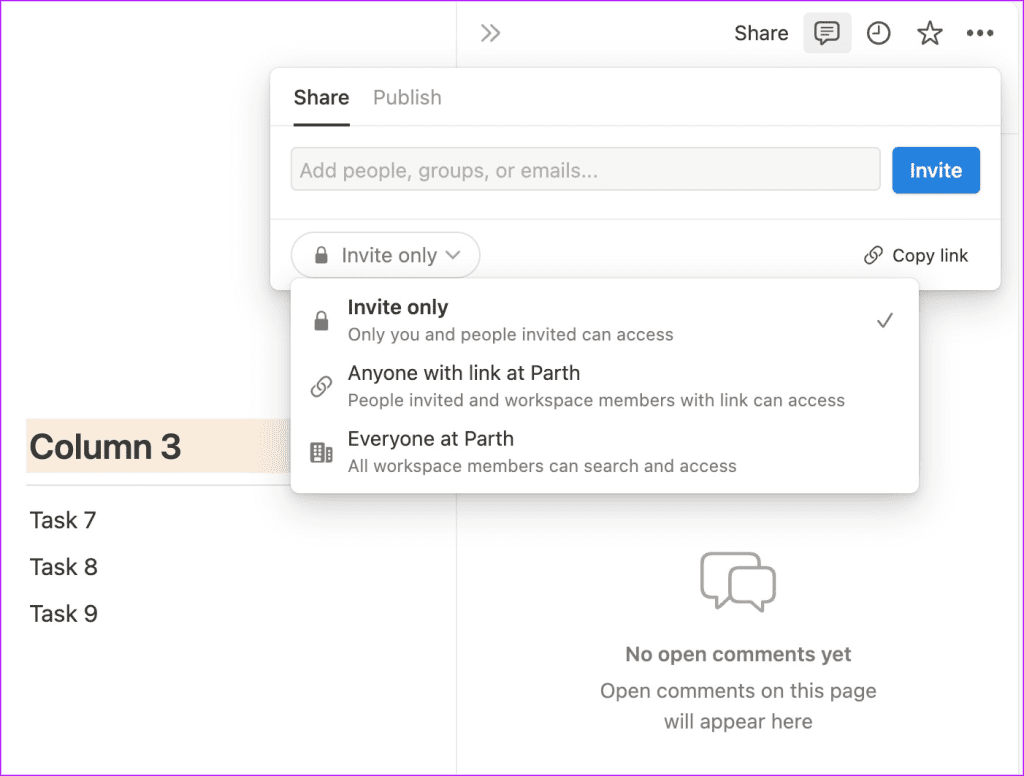
Sharing is another big factor in apps like Notion and Microsoft Loop. As for Notion, you can share a workspace with your team members and collaborate with everyone in real-time. You can also publish a static web page.

Price
Microsoft Loop is free to download and use. You only need a Microsoft account to get started.
