- Hide Alerts toggle can be enabled to disable notifications and alerts from a conversation on the messages app.
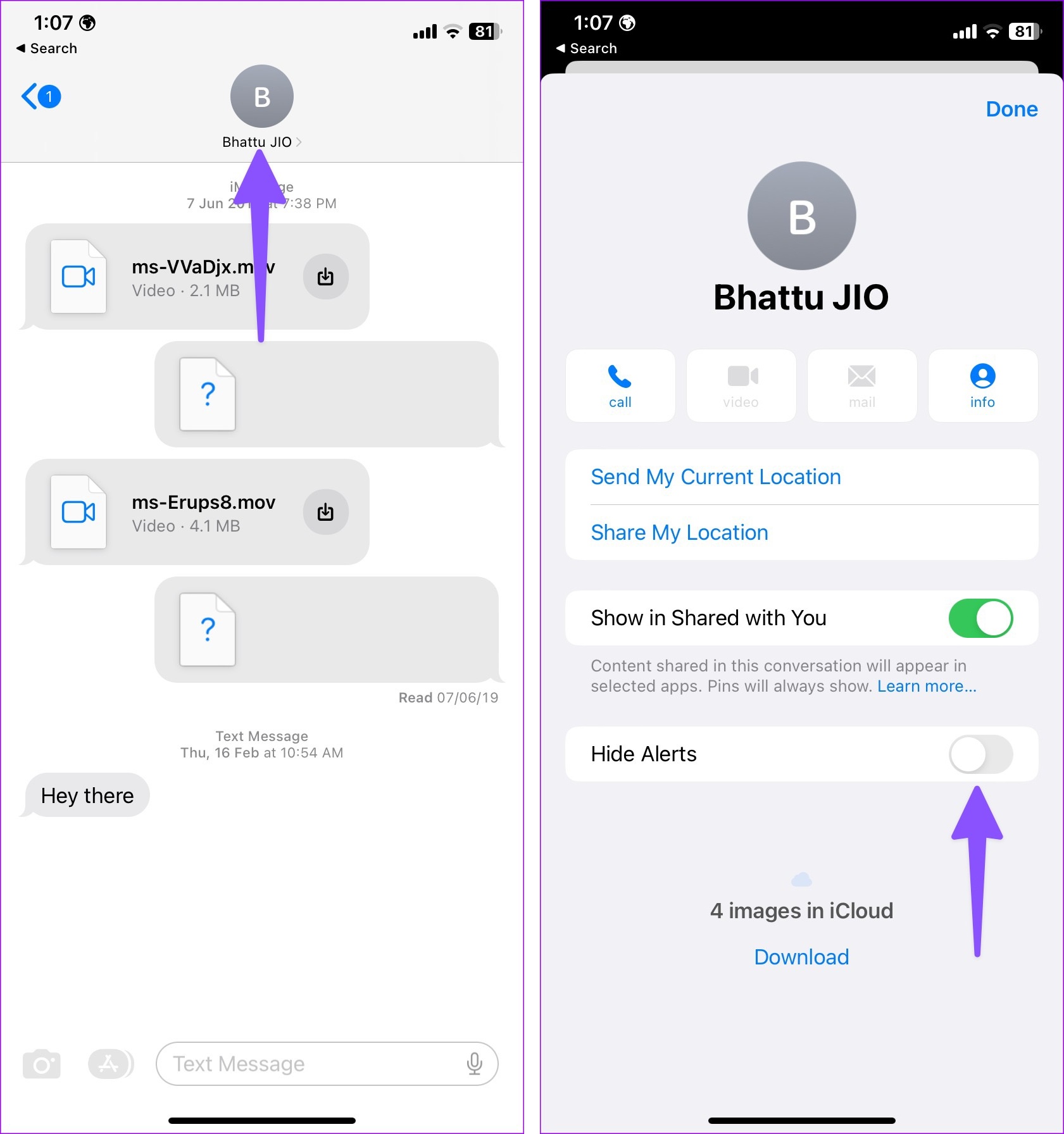
- On your iPhone, open the conversation on the Messages app, tap on the name/number, and enable Hide Alerts.
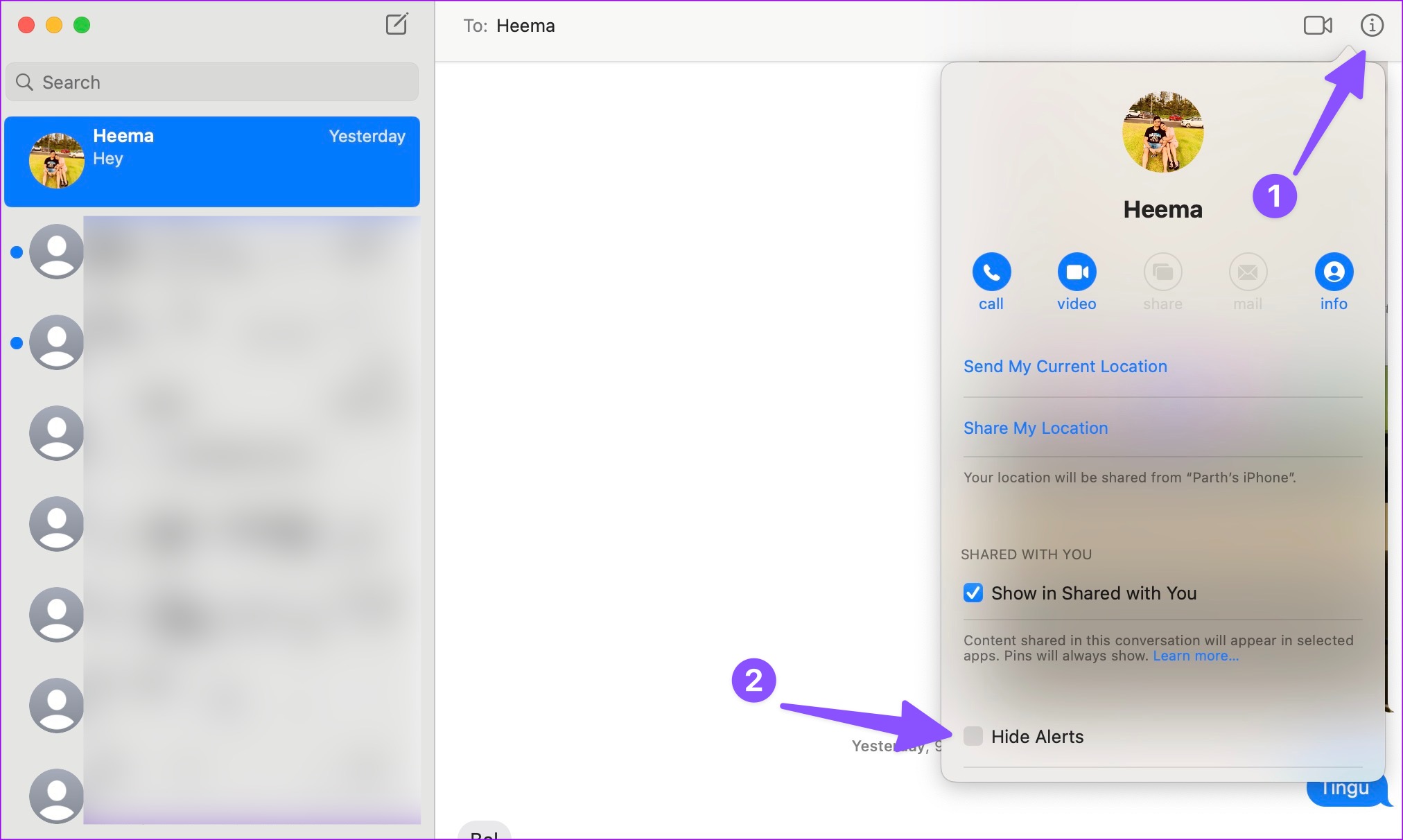
- Hide Alert settings won’t sync on your Mac. Open the conversation on your Mac, tap on the info icon, and enable Hide Alerts.
What Is ‘Hide Alerts’ Feature in Messages?
Hide Alerts can be turned on to silence annoying chat threads for the selected contacts. You can also block contacts, but in that case, you can’t receive their messages and calls. Instead of taking such an extreme step, enable the Hide Alerts option and avoid notifications.
How to Enable or Disable Hide Alerts
On iPhone and iPad
Step 1: Open the Messages app on your iPhone.
Step 2: Select a chat thread and tap on the contact name at the top.
Step 3: Enable the Hide Alerts toggle. Tap Done at the top right corner.
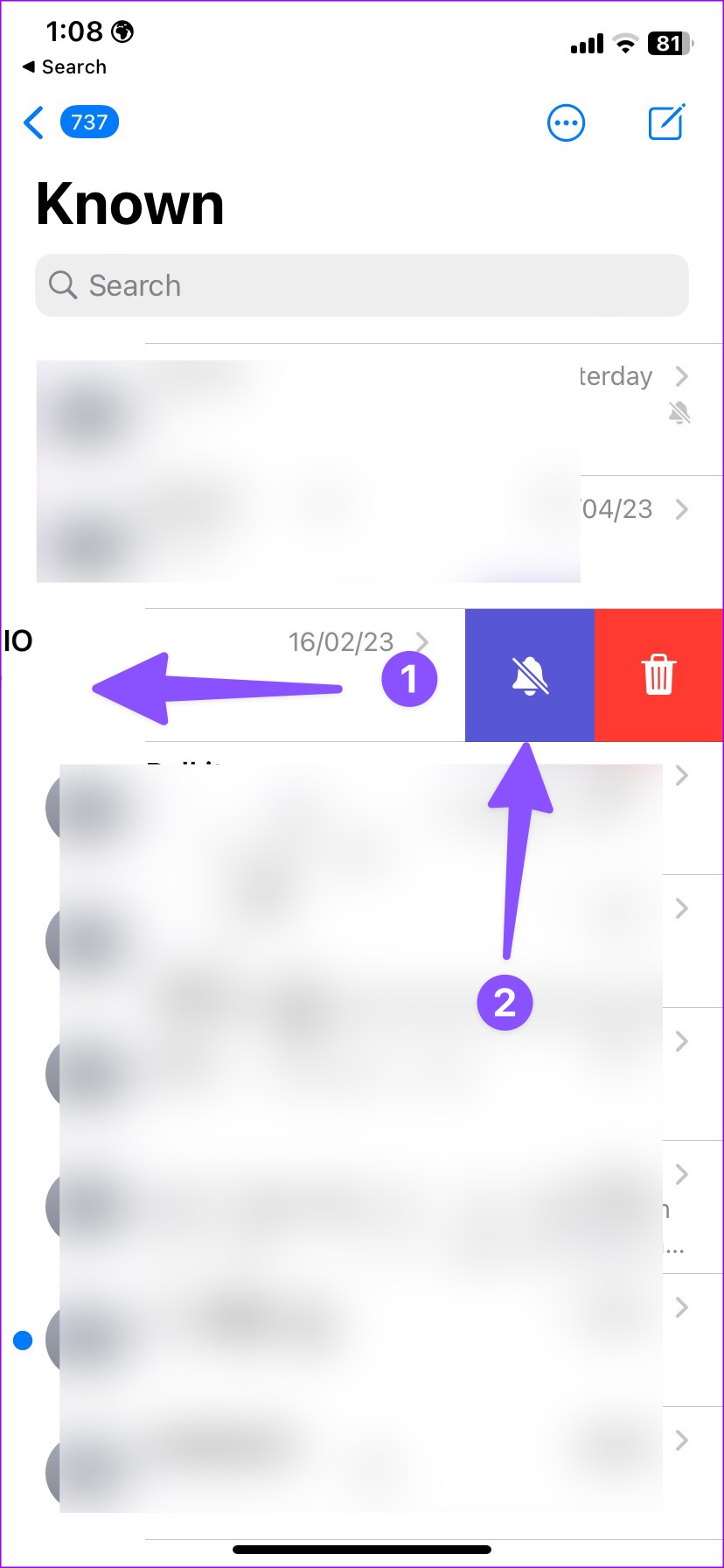
Alternatively, you can launch Messages > swipe left on a thread you want to silence > tap the Bell icon . Another method is to long-tap on a conversation and tap Hide Alerts from the context menu.
You shall notice a bell with a slash through, indicating you’ve hidden conversation alerts.
Also Read : Best iOS 17 messages and FaceTime features and tips
On Mac
If you have enabled the Hide Alerts option for several contacts on an iPhone or iPad, the system doesn’t sync the same on the Mac. You must enable it on your Mac again.
Open the Messages app on Mac > select a conversation > click the info button at the top right corner > check the box for Hide Alerts .
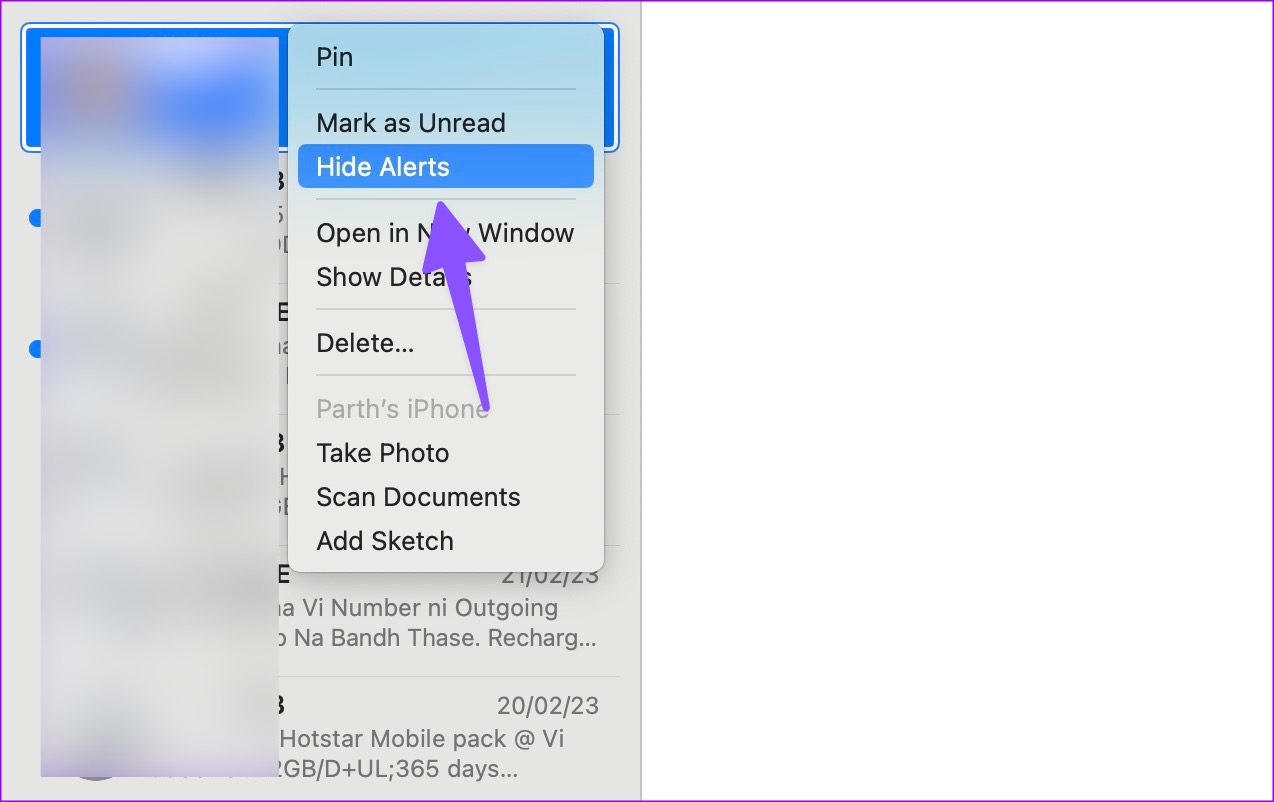
You can also right-click on a conversation and select Hide Alerts . Once the option is active, you will notice a bell with a slang through. This means that the person’s notifications are muted in Messages.
When you hide alerts from someone in the Messages app, it doesn’t silence or block calls. You shall continue to receive calls as usual.
The ability to hide alerts from a conversation is a privacy feature. The Messages app doesn’t notify the person about it.
As mentioned above, Hide Alerts is only part of the Messages app. The person can always reach you (or disturb you) via other apps like WhatsApp, Telegram, or Messenger. If you want to stop alerts from all apps, we recommend turning on Do Not Disturb on your iPhone.
You can turn off Hide Alerts from the same menu.
